> For the complete documentation index, see [llms.txt](https://preapproval-guide.imda.gov.sg/llms.txt). Markdown versions of documentation pages are available by appending `.md` to page URLs; this page is available as [Markdown](https://preapproval-guide.imda.gov.sg/maintaining-your-contract-status/how-to-keep-my-status-as-a-pre-approved-vendor/change-request-process/director-change-process.md).
# Director Change Process
The company director listed serves as the official signatory for all new contracts. Update this information whenever director changes occur in ACRA.
If you have received a notification from us to perform a change of director or if you are initiating a change of director, please follow these steps.
{% stepper %}
{% step %}
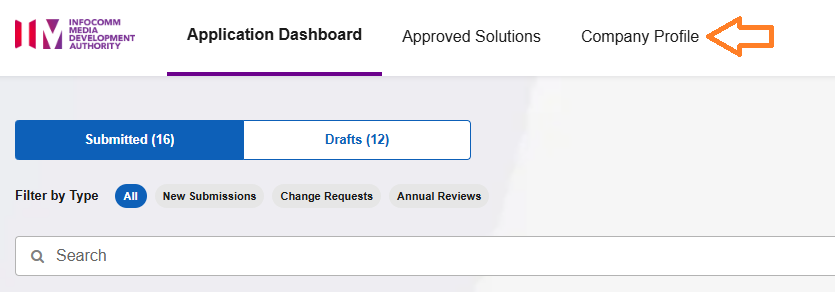
### Click on Company Profile
{% endstep %}
{% step %}
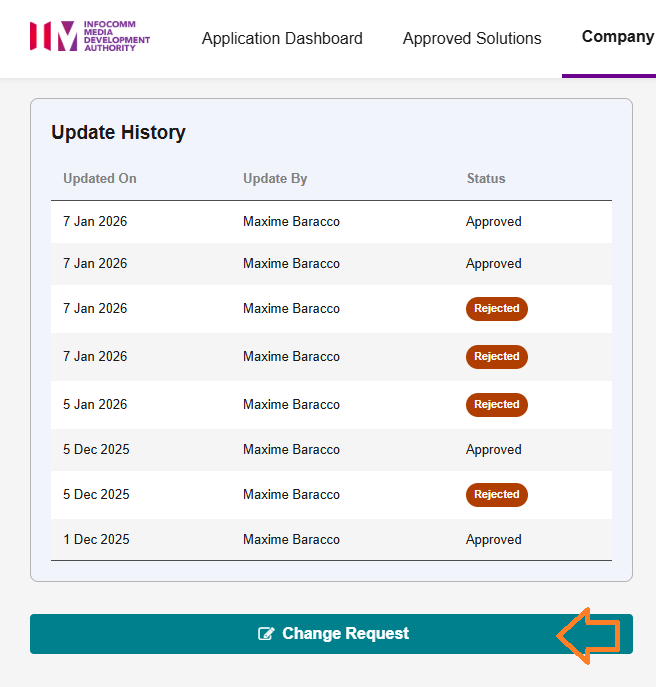
### Click on Change Request
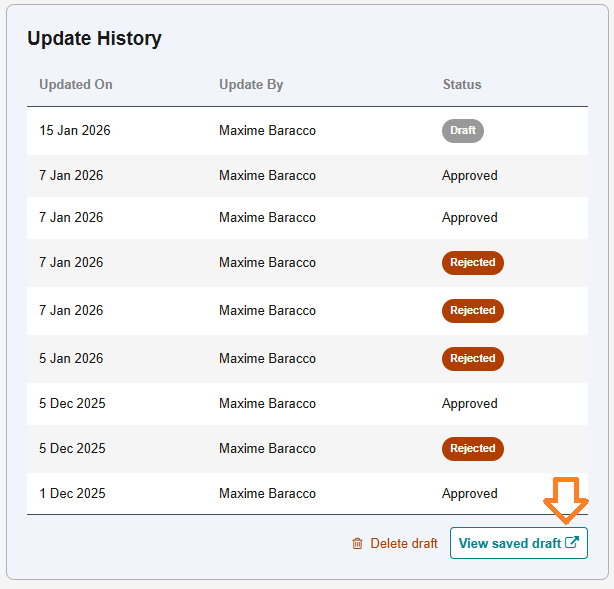
After clicking Change Request, please note that a draft will be created. If you navigate away to other functions and later return to Company Profile, you can click View Draft to access your saved draft. Alternatively, you can click Delete Draft if you no longer wish to make any changes.
{% endstep %}
{% step %}
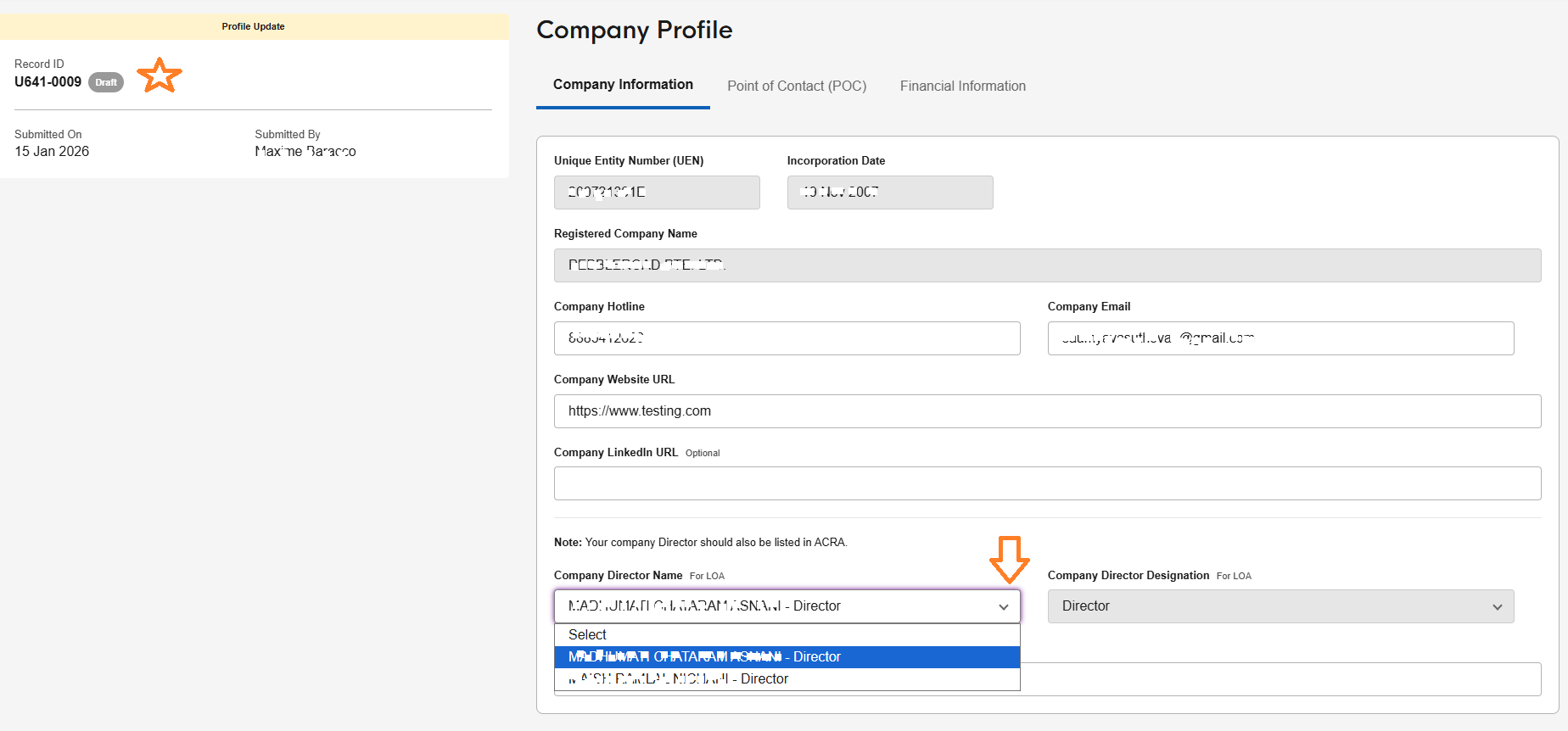
### Select the Director that has been pre-populated
Note that change request Record IDs beginning with "U" indicate company profile change requests, helping you distinguish them from solution change requests.
Select the Company Director who will perform the LOA acceptance
These fields are updated automatically once a week, but only if the selected director's information has changed or if the director has been removed from records.
{% endstep %}
{% step %}
### Press Submit for Approval
{% endstep %}
{% step %}
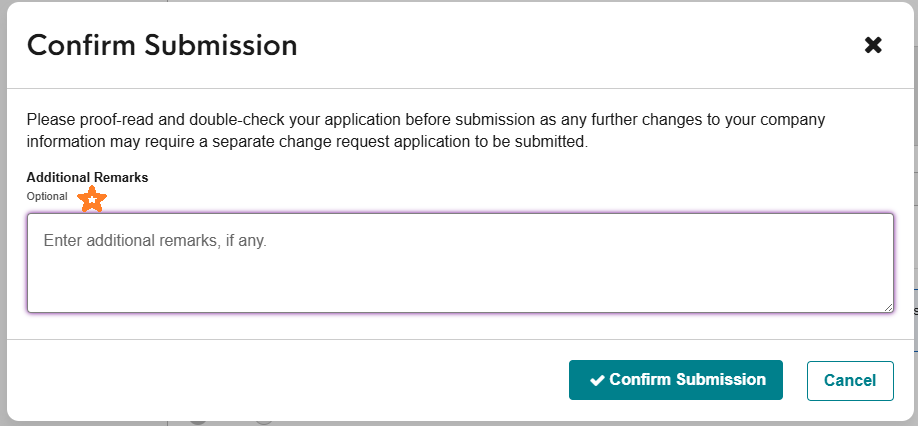
### Fill in remarks for reason of change
You may optionally provide additional remarks explaining the reasons for the change to help the officer in charge understand the request.
{% endstep %}
{% step %}
### Wait for Evaluation
The officer in charge will evaluate the change and either approve it if no clarifications are needed or seek additional information if required.
If clarifications are required, you will receive an email notification to login. Please expand this section and read the clarification notes.
{% endstep %}
{% step %}
### Complete Change Request
Once the change request is completed, you will be notified via e-mail.
{% endstep %}
{% endstepper %}
---
# Agent Instructions
This documentation is published with GitBook. GitBook is the documentation platform designed so that both humans and AI agents can read, navigate, and reason over technical content effectively. Learn more at gitbook.com.
## Querying This Documentation
If you need additional information that is not directly available in this page, you can query the documentation dynamically by asking a question.
Perform an HTTP GET request on the current page URL with the `ask` query parameter, and the optional `goal` query parameter:
```
GET https://preapproval-guide.imda.gov.sg/maintaining-your-contract-status/how-to-keep-my-status-as-a-pre-approved-vendor/change-request-process/director-change-process.md?ask=&goal=
```
`ask` is the immediate question: it should be specific, self-contained, and written in natural language.
`goal` is optional and describes the broader end goal you are ultimately trying to accomplish on behalf of the user. GitBook uses it to tailor the answer towards what is most useful for that goal.
The response will contain a direct answer to the question and relevant excerpts and sources from the documentation.
Use this mechanism when the answer is not explicitly present in the current page, you need clarification or additional context, or you want to retrieve related documentation sections.